
Everything your release team needs.
Stornar keeps listings, assets, releases, reviews, revenue, and reporting in one workspace so you never have to juggle tabs.
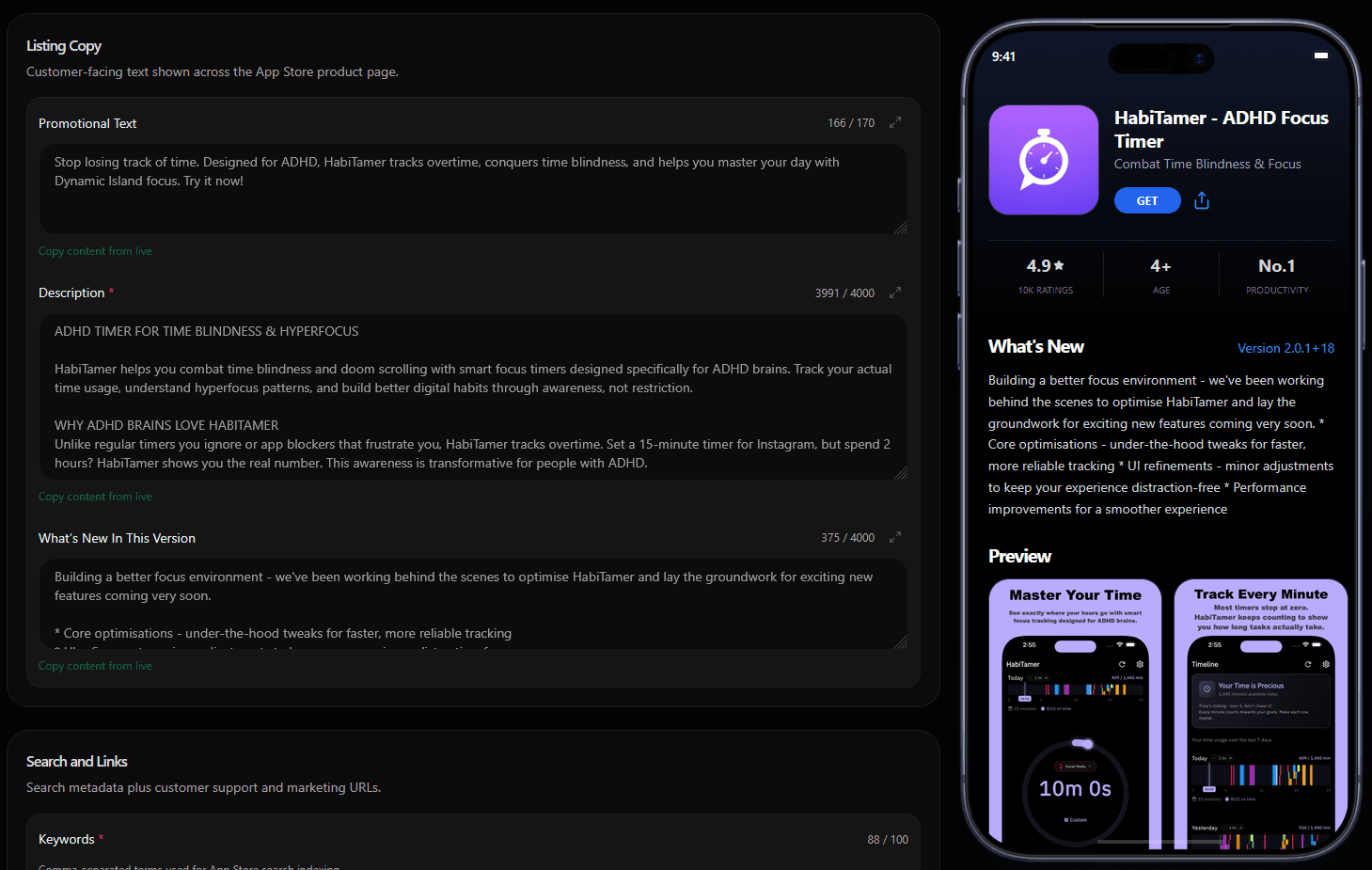
Metadata without console hopping
Edit titles, descriptions, keywords, and localisation for Apple and Google without switching consoles.
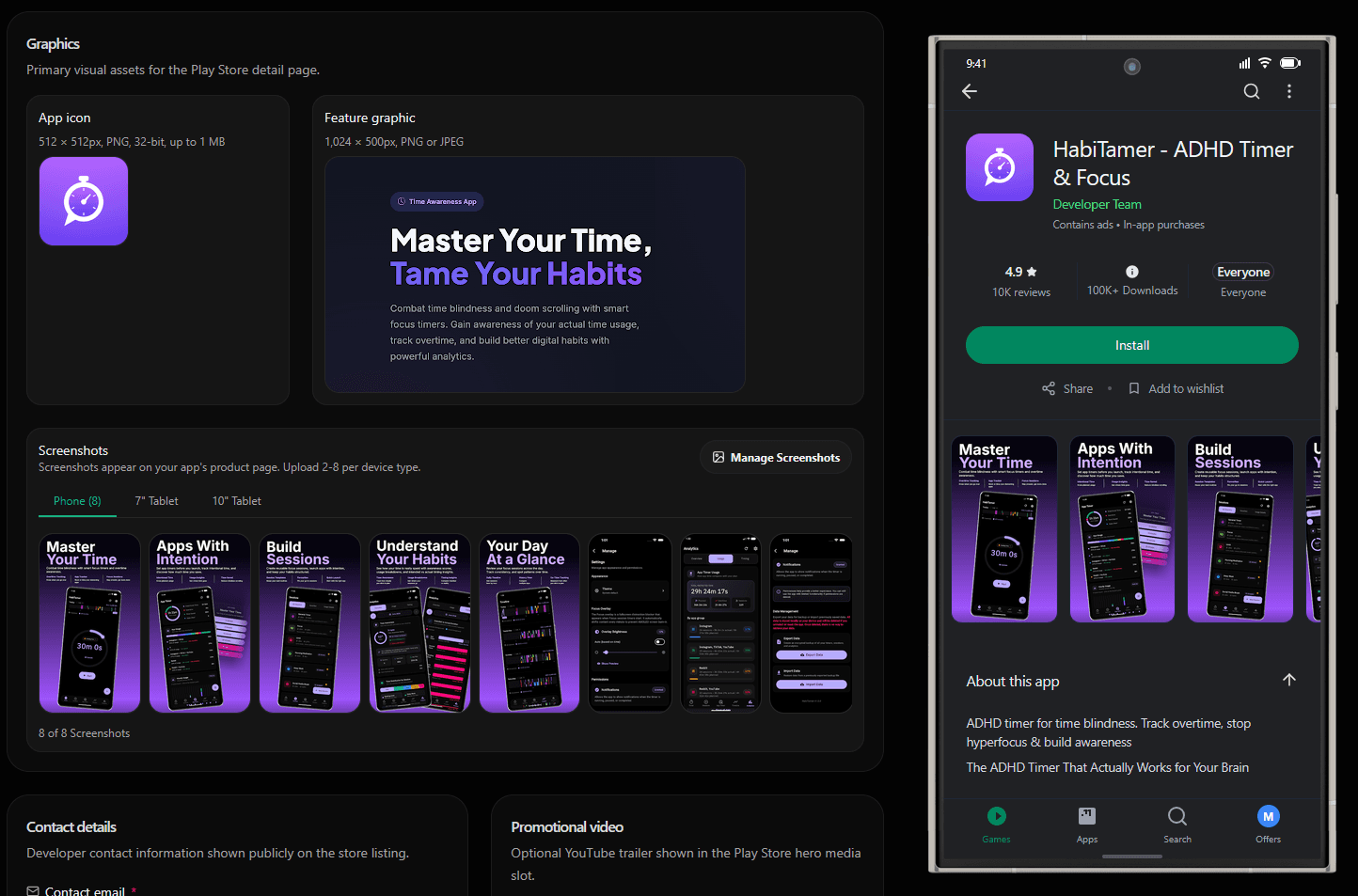
Screenshots in the release flow
Create store-ready screenshots with frames, templates, and export layouts in the same workflow.
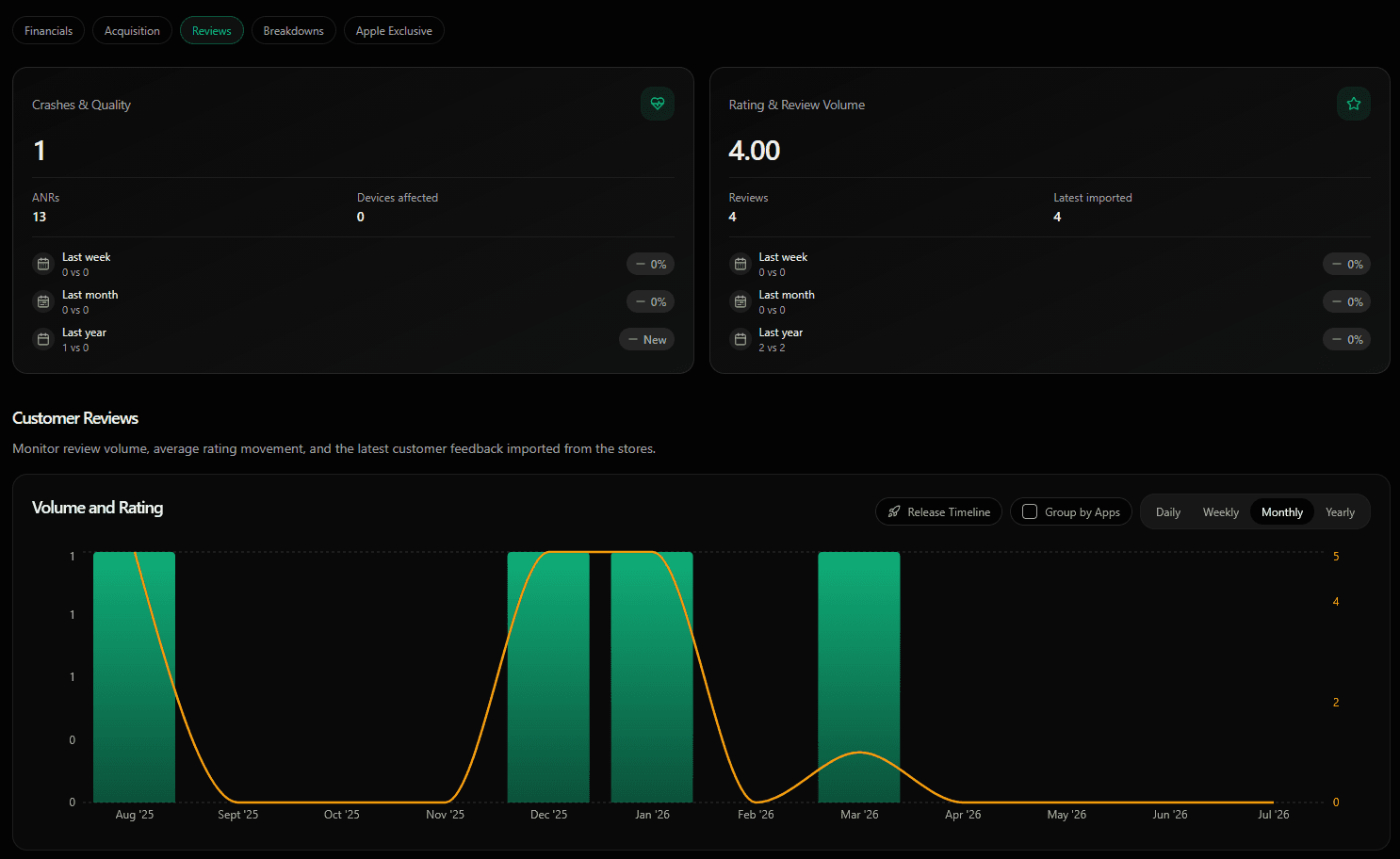
Reviews and reporting
Bring customer reviews and reporting into the same workspace your release team uses.
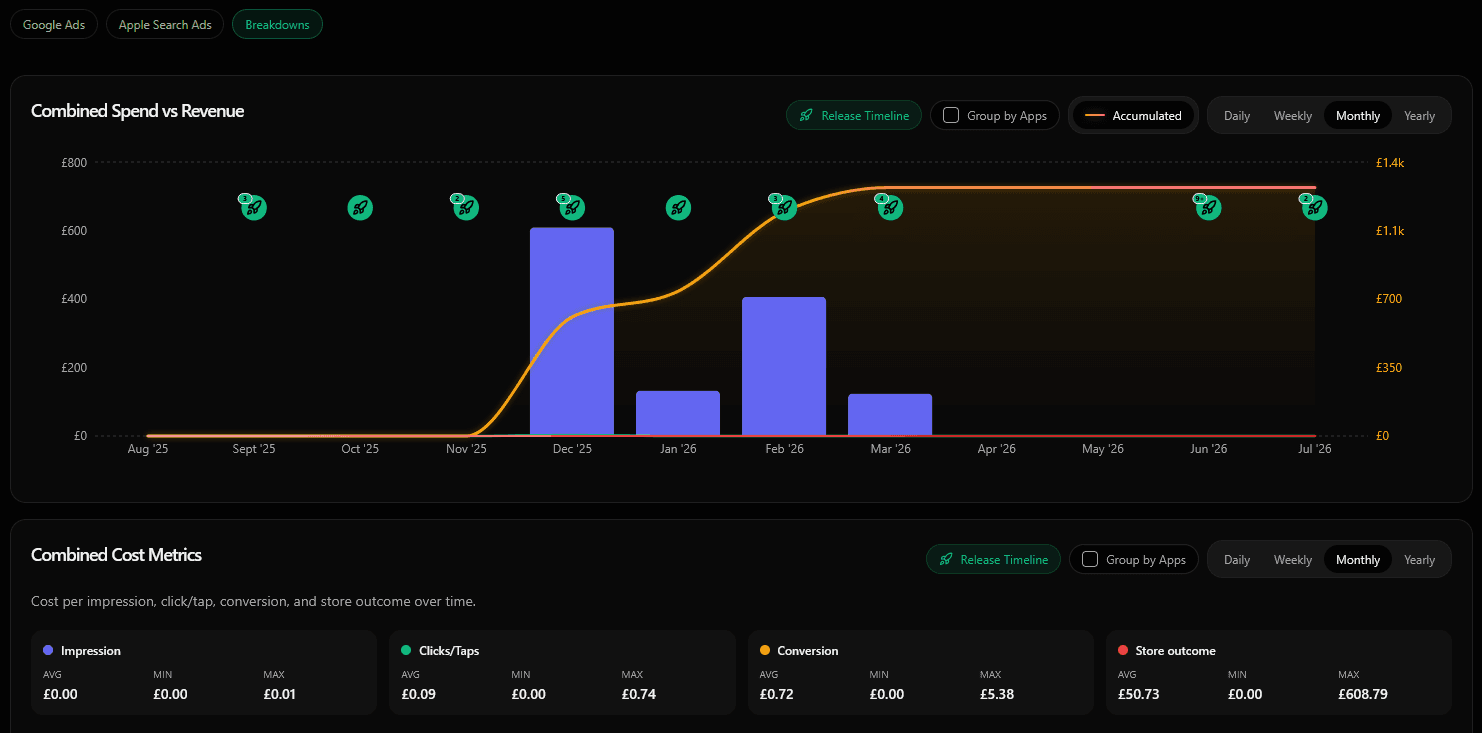
Ads connect to store outcomes
Connect Google Ads and Apple Search Ads to compare campaigns with releases, revenue, and store performance.
Release tracks stay visible
Track builds, submissions, review status, and staged rollouts across both platforms.
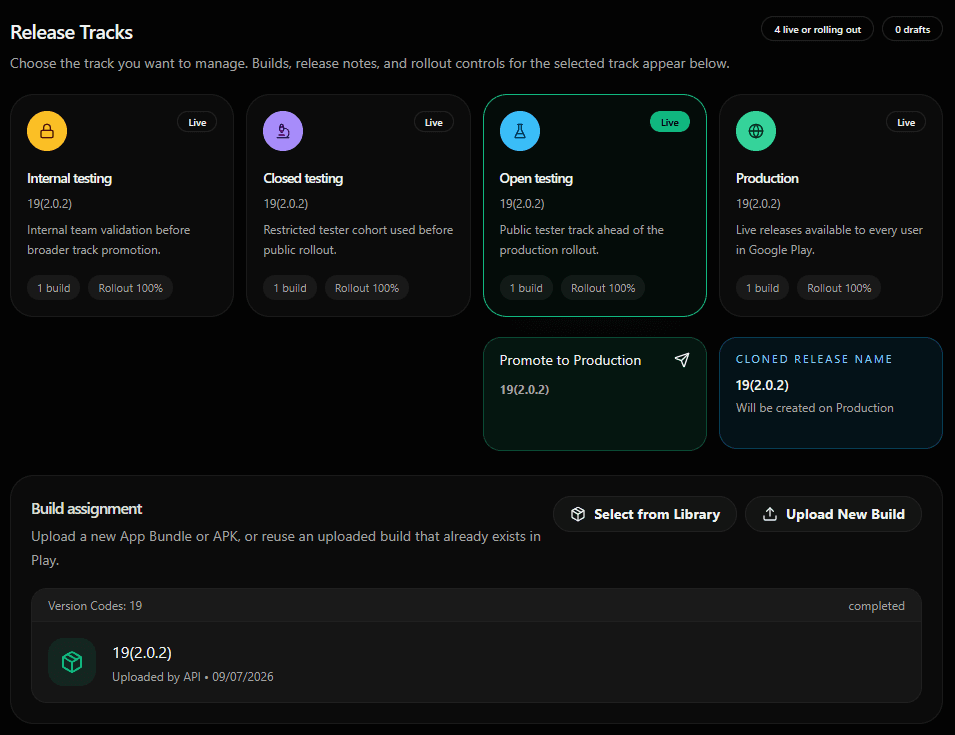
From setup to insight in four steps.
Every store task keeps its context, so teams can move from setup to launch without rebuilding state.
Connect accounts
Add App Store Connect and Google Play credentials with encrypted storage.
Prepare listings
Update metadata, screenshots, products, and localisation from one workspace.
Publish releases
Submit builds, monitor review states, and manage staged rollouts.
Read the signal
Review feedback, revenue reports, and release history after launch.
After launch, the signal stays connected.
Reviews, sales reports, products, subscriptions, and artefacts sit beside the release history that created them.
Review context
See ratings and feedback without leaving app operations.
Revenue reporting
Import store reports, subscriptions, and product revenue into one view.
Release history
Follow what shipped, where it is live, and what needs attention.
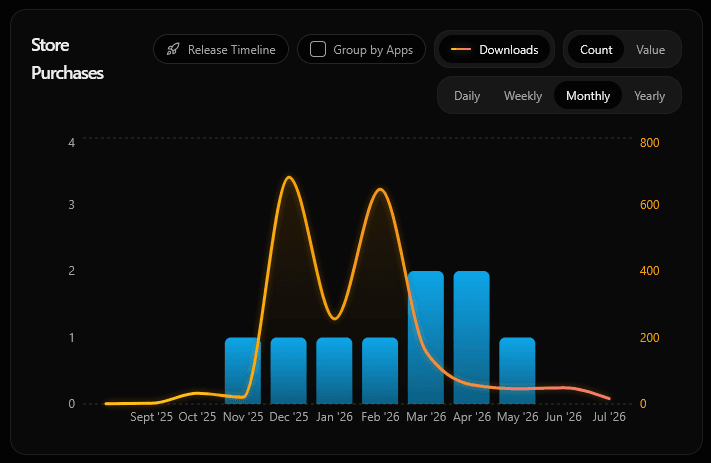
Revenue overview
Track financial performance across stores
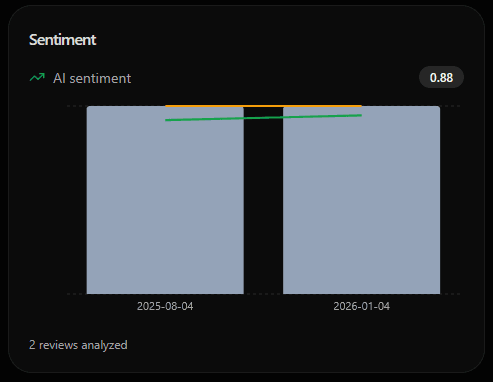
AI Sentiment Review Analysis
Understand user feedback instantly with AI
Ready to bring both stores into one workspace?
Start with your app portfolio, then connect metadata, screenshots, releases, reviews, revenue, and reports.